AI Music Video Generator

Turn a music concept into a visual story. Define the mood, performer, setting, and scene arc, add references, and refine the video in Ottermind.

Energy Ad
Skincare UGC
Product Showcase
Perfume Film
Beauty UGC
Skincare Story
Mango Campaign
Lipstick Ad
Sportswear Ad
Claude
GitHub
Google
Linear
Microsoft
Monday
Netlify
Notion
OpenAI
Sentry
Slack
Stripe
Supabase
Claude
GitHub
Google
Linear
Microsoft
Monday
Netlify
Notion
OpenAI
Sentry
Slack
Stripe
Supabase

Build a visual world around the music

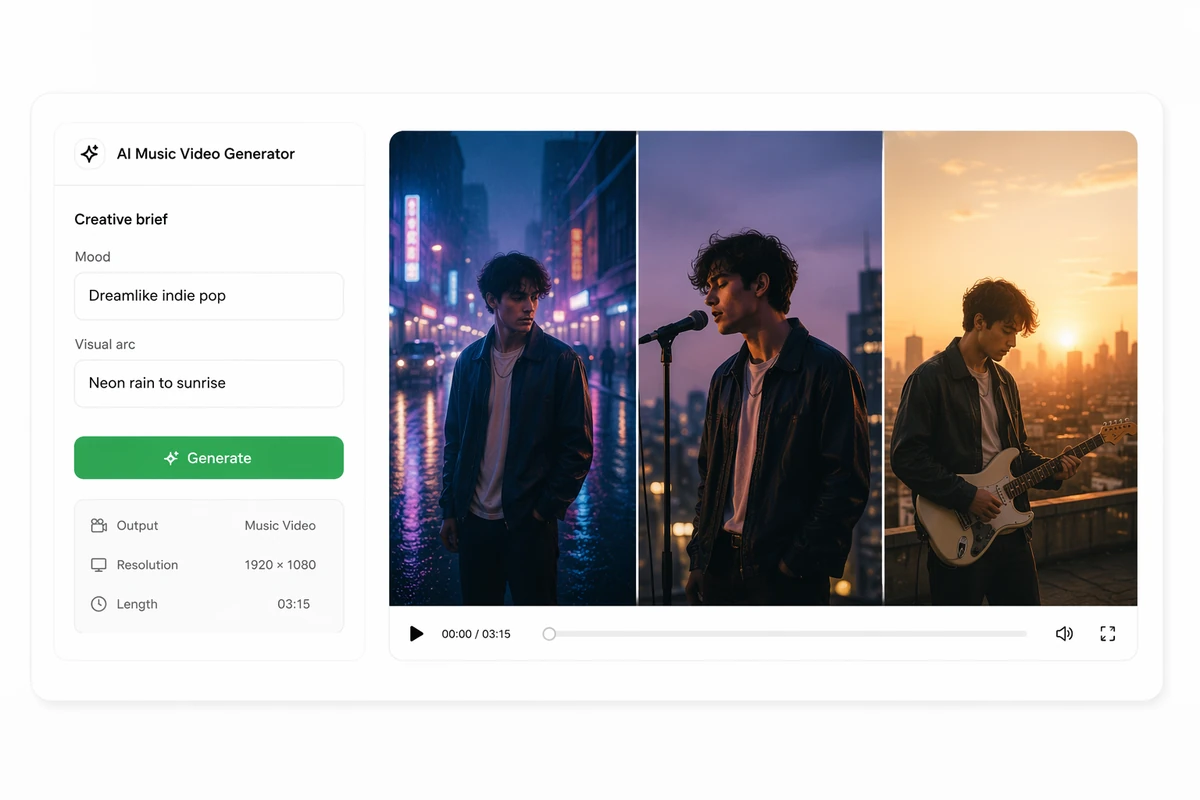
An AI music video generator turns creative direction into a sequence of moving scenes. With Ottermind, you can define the mood, performer, sound, color, camera feel, and story arc, then use original artwork or photography as references while generating and comparing new visual takes. Describe the role of each scene and the transition between them so the sequence follows one visual idea.

A music video brief becoming a connected three-scene performance sequence

Turn a music idea into a complete video

Describe the mood, performer, sound, and visual arc you want the audience to experience. Ottermind develops that direction into an original music video sequence. For broader prompt-led scene creation first, use the AI video generator, then add the music-specific direction.
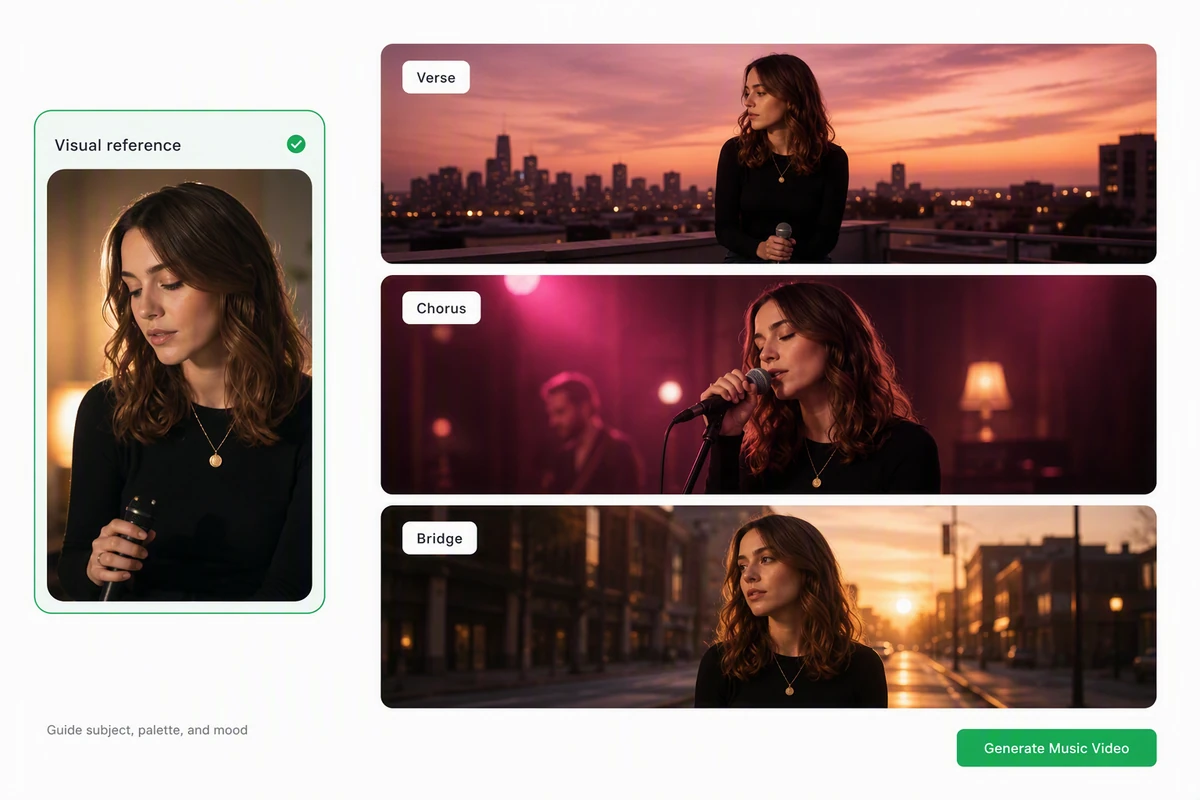
A performer reference guiding three coordinated music video scenes

Guide every scene with one visual reference

Add a permitted performer portrait or artwork to guide the subject, palette, and mood across scenes. If that reference does not exist yet, create an original starting point with AI image generation, then review every scene for unwanted identity or continuity changes.

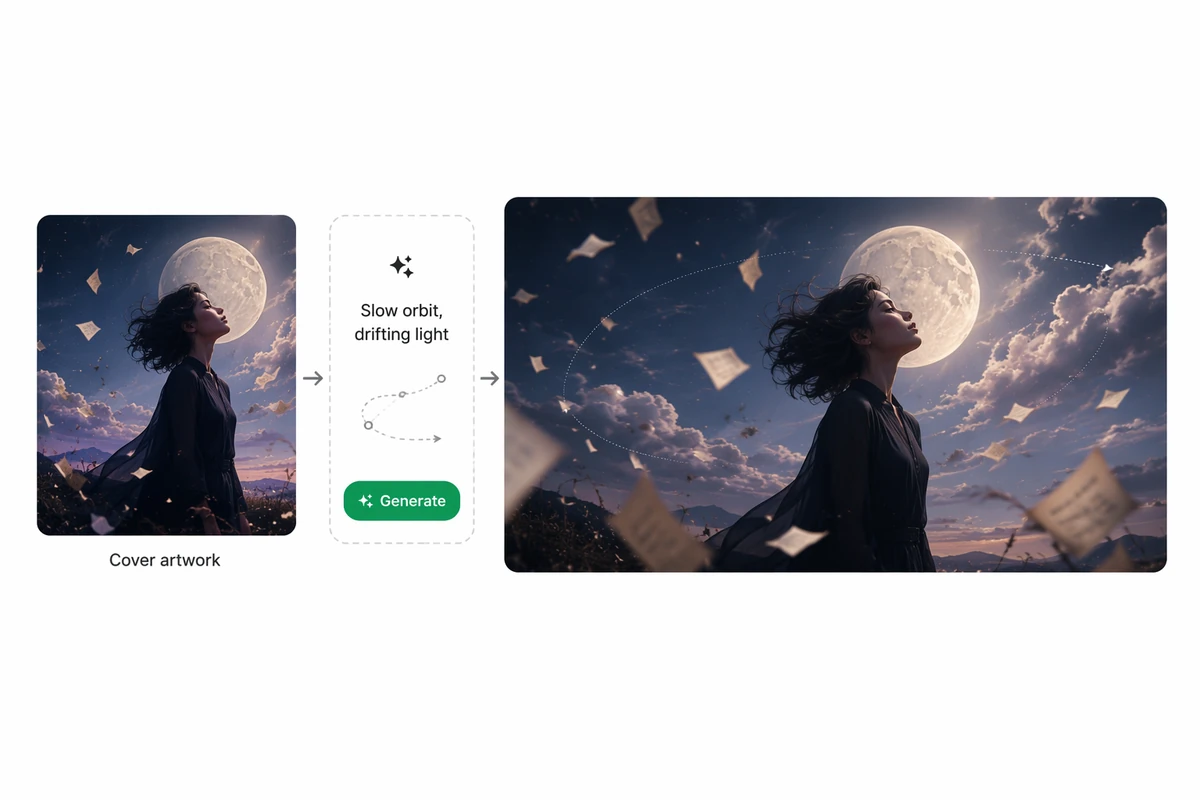
Original album artwork becoming an atmospheric animated music video

Bring cover art into motion

Upload original cover art, a band photo, or another visual reference, then describe the movement, camera feel, and atmosphere you want. Ottermind transforms that direction into a new animated video interpretation.

How to create an AI music video

Step 01

Define the visual concept

Describe the music's mood, performer, audience, setting, palette, camera feel, and visual arc. Use story notes or lyrics only when you have the rights to them.

Step 02

Add visual references

Upload permitted cover art, portraits, photography, or illustrations when they communicate the intended subject and mood more clearly than text alone throughout the sequence.

Step 03

Generate and compare

Create a first sequence, then inspect scene continuity, motion, pacing, and fit with the concept. Request focused changes and compare the strongest versions in Studio.

Why creators choose Ottermind

Concept-first creation

Build the video around a defined mood, performer, setting, and visual arc.

Artwork as direction

Use original cover art, portraits, or photography to guide subject, palette, and atmosphere.

Connected scenes

Develop a sequence around one creative idea instead of treating every image as an isolated moment.

Multiple visual takes

Explore visual takes, then shape the strongest direction into a short social cut with AI Reel Maker.

Rights-aware workflow

Keep source artwork, permissions, creative decisions, and review notes together in the project.

Continue in Studio

Carry the selected visual story into Studio with its references and feedback still attached.

FAQ

What is an AI music video generator?

An AI music video generator turns a creative brief into moving visual scenes for a music concept. You define the mood, performer, setting, camera feel, and story arc, then review the generated sequence for quality and fit.

Can I create a music video from text?

Yes. Describe the music's emotional direction, the visual subject, key scenes, palette, pace, and intended audience. A focused concept gives the Agent a clearer foundation than a long list of unrelated visual effects.

Can I animate my cover art?

Yes. Upload original artwork you have permission to use and describe the desired motion, camera behavior, and atmosphere. For focused motion from one artwork, use Image to Video. Expect an original interpretation rather than exact preservation of every detail.

Can Ottermind keep one performer identical in every scene?

A reference can guide the performer and visual direction, but exact identity and continuity are not guaranteed. Inspect every scene for unwanted changes and request a new take when consistency does not meet the brief.

Can Ottermind analyze a song and sync cuts to the beat?

Uploaded-audio analysis and guaranteed beat synchronization are not established for this workflow. Provide the intended sound, pacing, and story direction in text, then verify timing and final audio work separately before you publish.

What rights do I need for an AI music video?

Use music, lyrics, artwork, photographs, and likenesses that you created or have permission to use. Review the final video for third-party material, misleading identity use, and the destination's current disclosure and licensing requirements.

Discover more

What video creators say about Ottermind

We moved from a loose campaign idea to a video direction the whole team could discuss. The script, visual references, pacing notes, and revisions stayed connected, so every review made the sequence more specific instead of sending us back to a blank brief.

Avery Morgan - Video Marketing Lead

More from the blog

Turn your music concept into a visual story

Bring the mood, performer, scene arc, and permitted visual references. Generate an original sequence, compare takes, and keep developing the strongest direction in Studio.

Create music video