Ghibli AI Generator

Transform a permitted photo or original idea into warm, hand-painted anime-inspired artwork with storybook scenery, expressive light, and your own creative direction.

Claude
GitHub
Google
Linear
Microsoft
Monday
Netlify
Notion
OpenAI
Sentry
Slack
Stripe
Supabase
Claude
GitHub
Google
Linear
Microsoft
Monday
Netlify
Notion
OpenAI
Sentry
Slack
Stripe
Supabase

Create Original Worlds with a Ghibli AI Generator

Describe an original character, place, emotion, weather, natural light, painted texture, and lived-in objects instead of relying on a studio name alone. Use your own or permitted reference, then inspect faces, hands, signs, and similarities. Ottermind is not affiliated with Studio Ghibli; avoid reproducing protected characters, logos, or film frames.

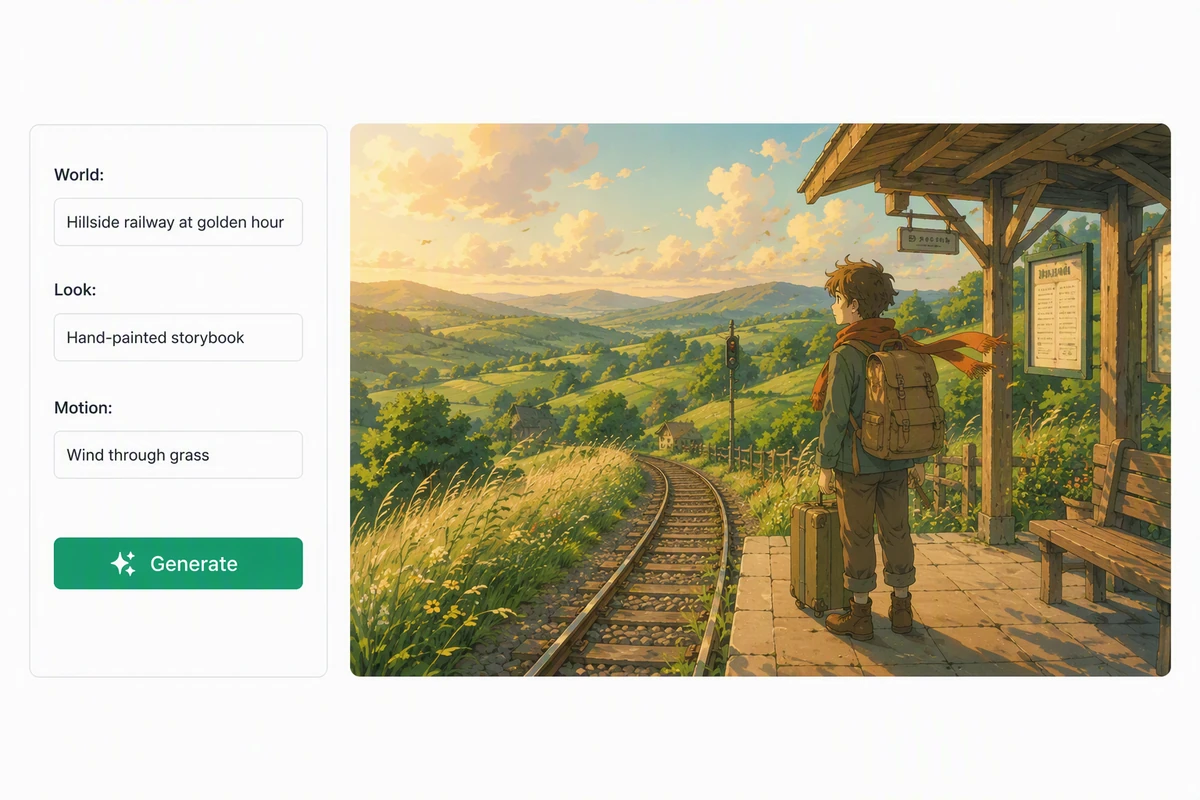
An original watercolor world becoming a gentle cinematic animation

Build a hand-painted world

The hillside station combines golden-hour clouds, layered green valleys, weathered timber, tall grass, and a traveler waiting with luggage. Direct concrete qualities instead of one style label. Explore related still-image work through AI image generation while keeping the world, character, and mood original.
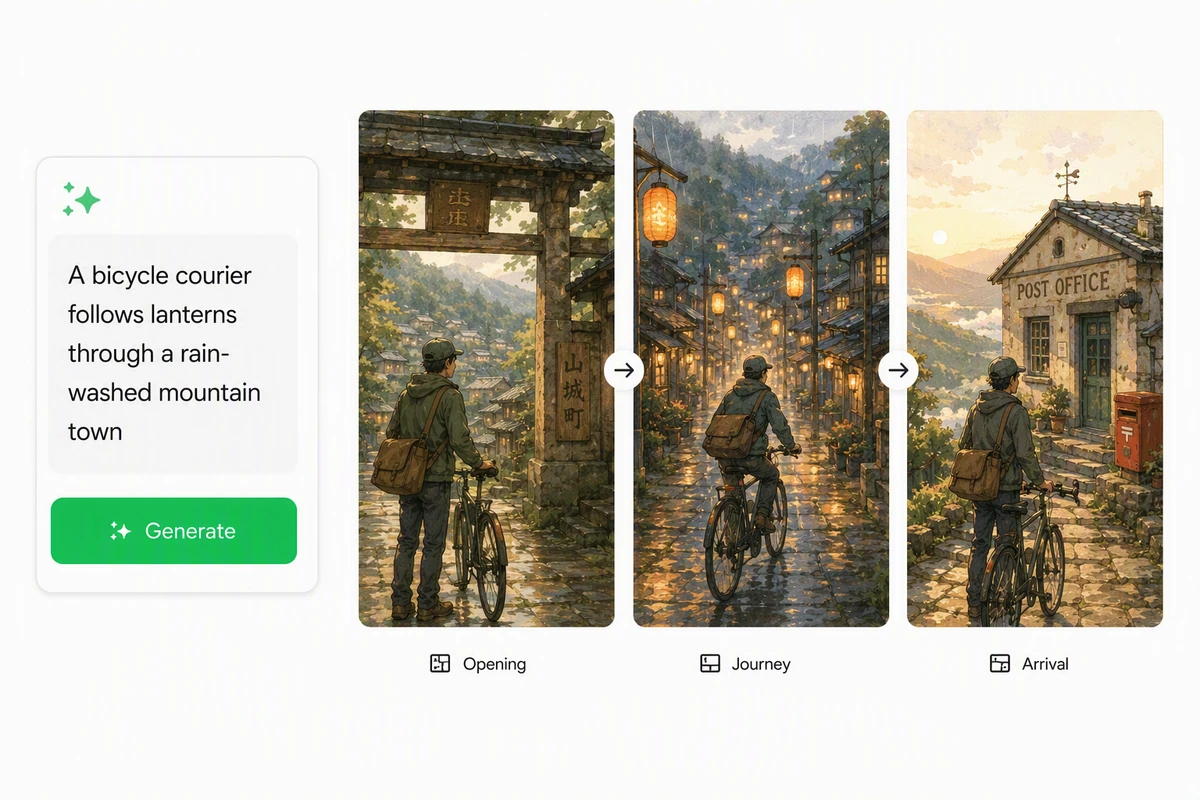
A short story prompt developing into three original hand-painted scenes

Turn one moment into a story

The bicycle courier moves from a town gate through rain and lanterns to a quiet post office. Define opening, change, and arrival so each image advances the same original journey. Use an AI Story Generator when the character's goal or scene transition needs clearer structure.

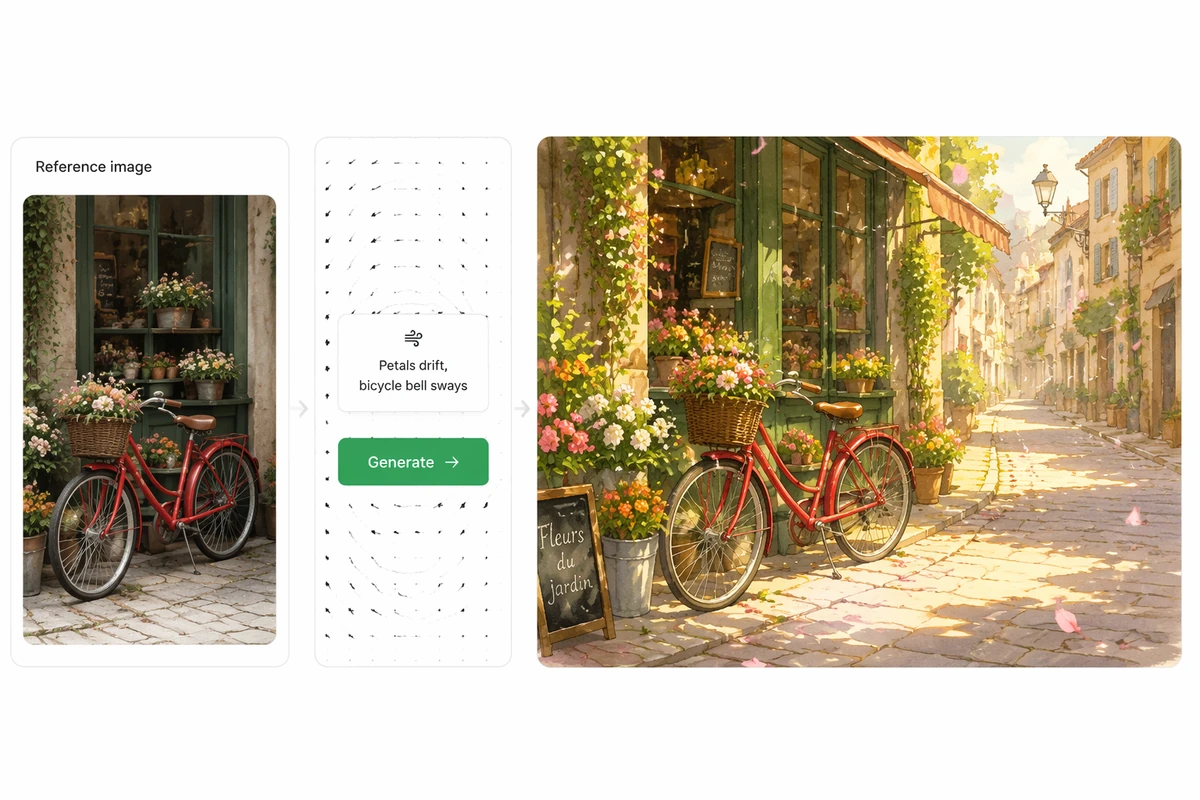
A travel photograph guiding an original hand-painted animated video

Guide the result with your photo

The flower-shop photograph supplies the bicycle, storefront, and street layout; the new image adds painted sunlight, richer blooms, and drifting petals. State which geometry must remain. For deliberate movement after the still is approved, continue with the Ghibli Art Video Generator.

How to Use the Ghibli AI Generator

Step 01

Choose original material

Upload a photo you may use or begin from your own scene idea. Identify the people, place, composition, and personal details that should remain recognizable.

Step 02

Describe the world

Specify weather, time of day, natural light, painted texture, landscape, architecture, character emotion, and one story action. Avoid named characters, copied scenes, or logos.

Step 03

Review and refine

Compare the result with the source and brief. Check identity, anatomy, signs, unintended references, and narrative clarity, then request one focused correction while preserving successful details.

Why creators choose Ottermind

Reference-aware creation

Keep the permitted source beside the prompt so composition and details remain available throughout revision.

Specific world direction

Describe light, weather, landscape, texture, emotion, and action instead of depending on a brand name alone.

Original scene exploration

Compare worlds and story moments while checking that characters, creatures, props, and settings remain your own.

Focused visual refinement

Correct a face, hand, sign, color, or background detail without throwing away the approved atmosphere and composition.

Context stays connected

Continue in Studio with the reference, prompt, selected image, review notes, and originality checks in one project.

FAQ

What is a Ghibli AI Generator?

Ghibli AI Generator is a name for a tool that creates hand-painted, anime-inspired images from text or a reference photo. A responsible workflow uses original subjects and settings, describes the visual qualities directly, and reviews the output for unwanted copied characters, marks, or scenes.

Is Ottermind affiliated with Studio Ghibli?

No. Ottermind is not affiliated with, endorsed by, or sponsored by Studio Ghibli. Ghibli AI Generator describes the category visitors search for; the creation brief should focus on original characters, places, stories, and hand-painted qualities rather than reproducing protected material.

Can I transform my own photo?

Yes, use a photo you own or have permission to adapt. Name the people, objects, pose, and layout to preserve, then describe the new light, weather, texture, and story mood. Review recognizability and accidental additions before sharing the result.

How do I write a better prompt?

Describe an original subject and one story moment, then add time of day, weather, natural light, palette, painted texture, landscape, architecture, emotion, and camera distance. State what the reference must preserve. Avoid relying solely on a studio or artist name.

Can I animate the finished image?

Yes. First approve the still and list the motion that belongs in the scene. Continue with Ghibli Art Video Generator or Image to Video, then verify that movement preserves identity, painted texture, composition, and the original story intent.

Can I use the image commercially?

Commercial use depends on the source material, output, platform terms, contracts, and applicable law. Do not assume that generation clears rights. Check consent, licenses, trademarks, recognizable protected elements, and destination rules, and obtain qualified advice when the project carries meaningful legal risk.

Discover more

How people use Ottermind for images

I had a batch of mug photos shot on my kitchen table. I cleared the clutter, tried two cleaner backgrounds, and kept the one that still looked like my real product. It felt more like tidying up a shoot than starting over.

Lena Ortiz - Online Shop Owner

More from the blog

Create an Original Hand-Painted Story World

Bring a permitted image or original idea, describe the light, landscape, character, and story moment, then refine the result with clear quality and rights checks.

Create Storybook Art