Hashtag Generator

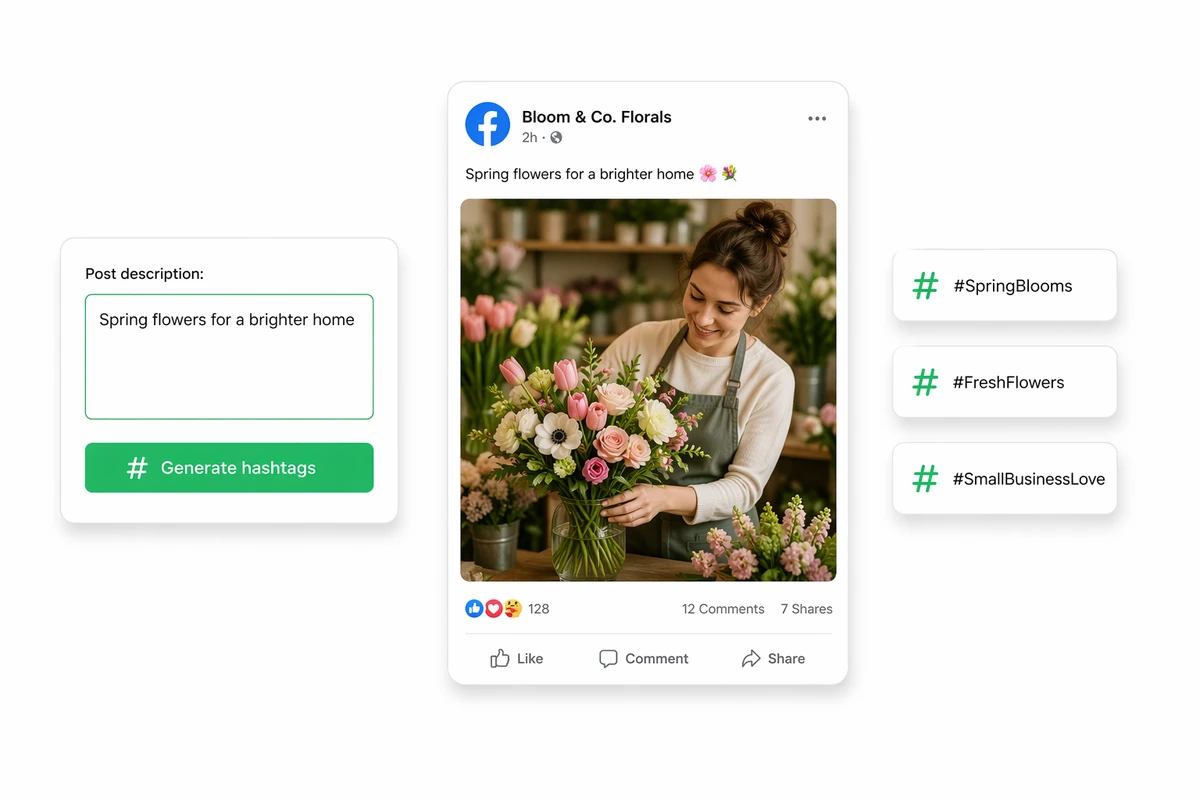
Bring your post or campaign context to Ottermind agents, brainstorm candidate hashtags, and refine a reviewable set before adding it to your content.

Ottermind workspace showing candidate hashtags for review
Claude
GitHub
Google
Linear
Microsoft
Monday
Netlify
Notion
OpenAI
Sentry
Slack
Stripe
Supabase
Claude
GitHub
Google
Linear
Microsoft
Monday
Netlify
Notion
OpenAI
Sentry
Slack
Stripe
Supabase

Turn Your Context Into Hashtag Ideas

A hashtag generator proposes tags from the context you provide. With Ottermind, you can ask collaborating agents to brainstorm and refine hashtags as part of a short-form content workflow. Treat every result as a candidate: check its meaning, relevance, audience fit, and platform suitability before use.

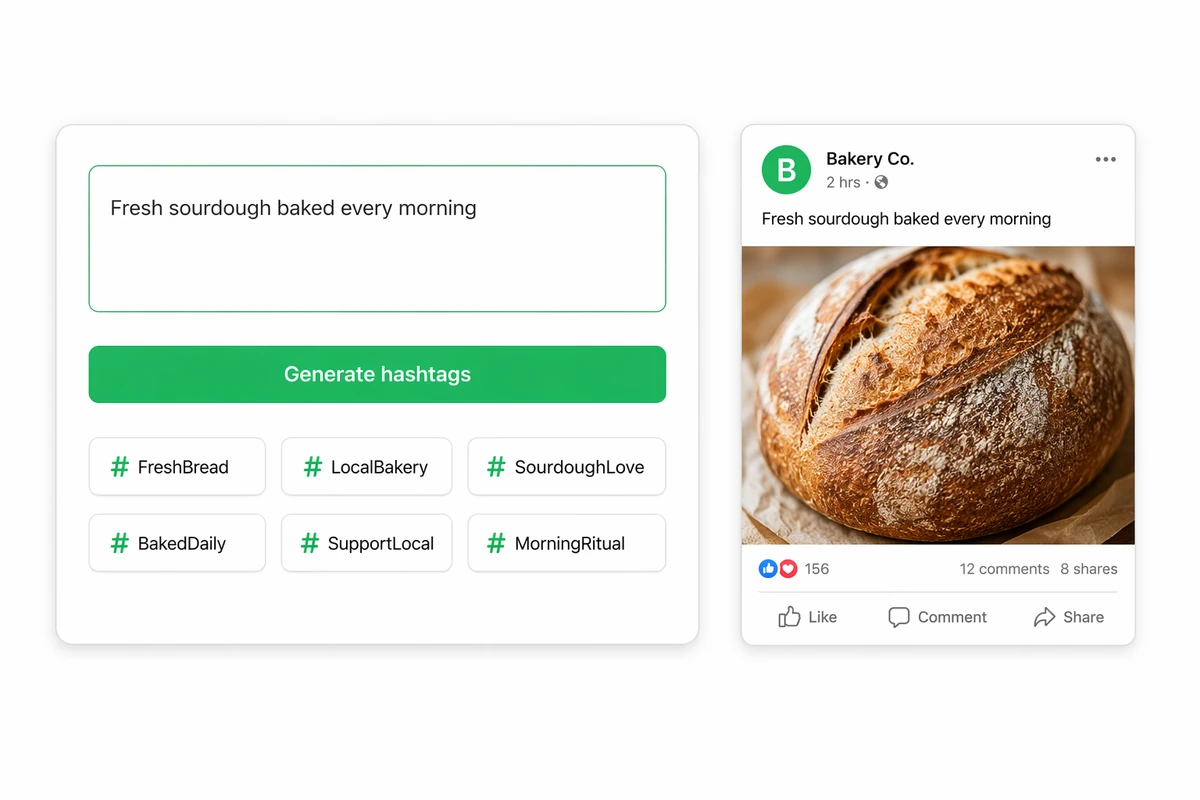
A sourdough post description transformed into six relevant hashtag suggestions

Generate From the Actual Post

Describe the post with a clear prompt structure and ask agents for focused hashtag candidates. During manual review, compare every suggestion with the source message and remove tags that are vague, repetitive, misleading, or unrelated.

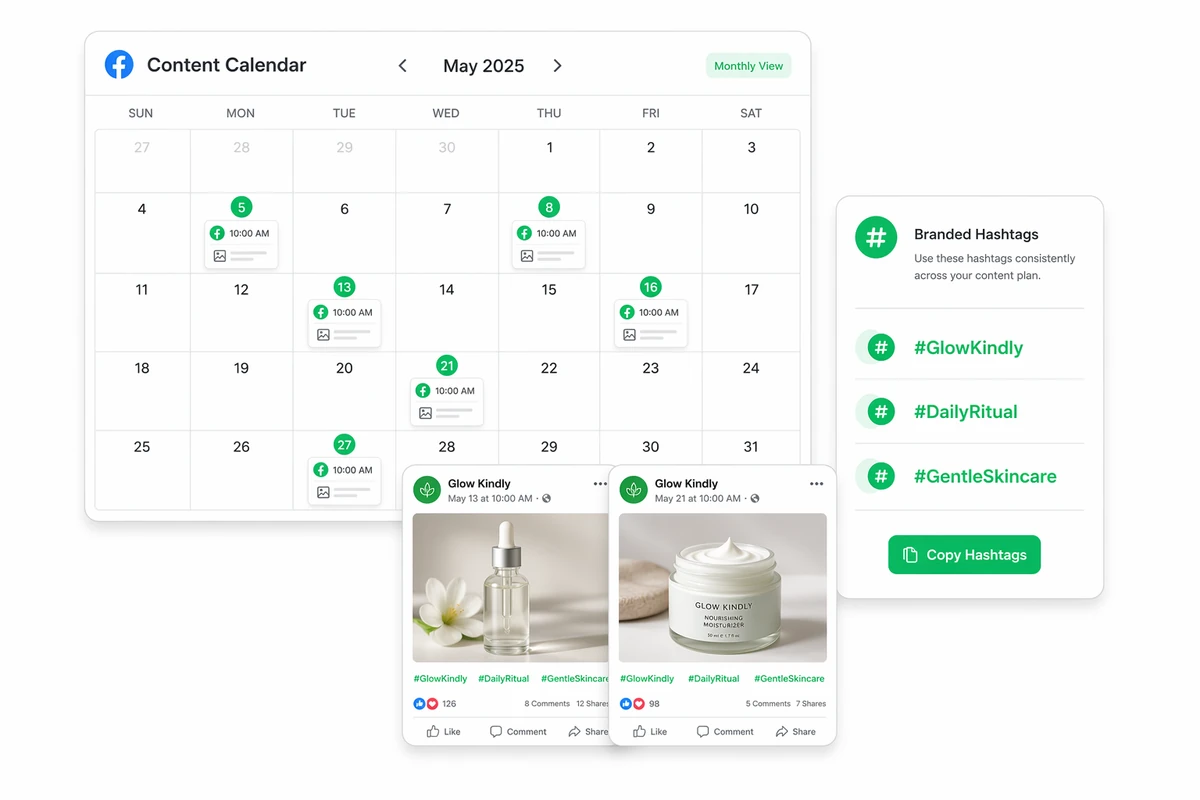
A monthly content calendar with skincare campaign posts and a branded hashtag library

Map Branded Tags to Campaign Content

Use the calendar image as a manual planning example: record recurring brand hashtags beside the campaign content that will use them, then separate continuity tags from topic-specific options. For broader campaign planning, consult the marketing AI tools guide.

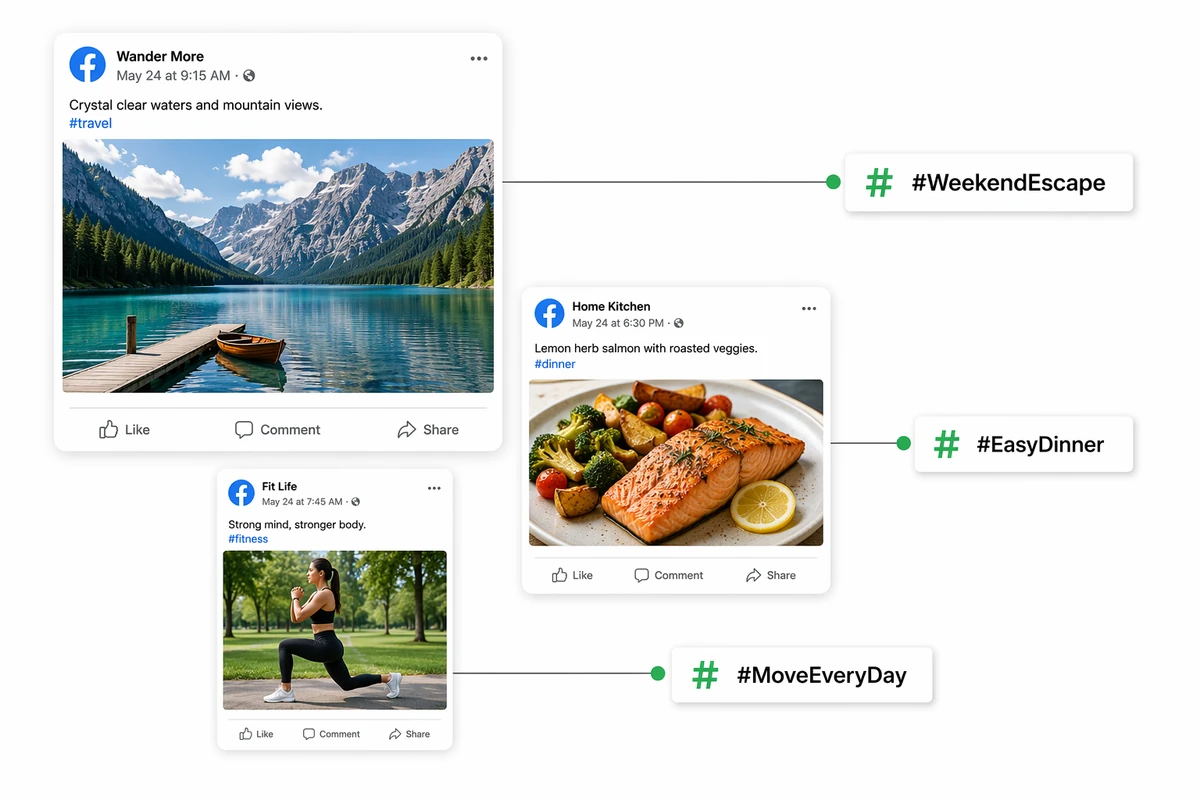
Travel, food, and fitness posts connected to distinct topic-specific hashtags

Match Tags to Each Topic

Compare travel, food, and fitness examples to see why one generic hashtag list should not be reused everywhere. Select tags that accurately describe each post and suit the intended audience, then review current platform results before publishing.

How to Develop and Review Hashtag Ideas

Step 01

Provide Campaign Context

Tell the agents what the content covers, who it is for, its tone and purpose, and which themes should be included or avoided.

Step 02

Request Candidate Hashtags

Ask for a reviewable set organized in a useful way, such as broad, niche, and campaign-specific ideas. Refine the request if suggestions feel generic.

Step 03

Inspect and Approve

Check every candidate for content relevance, audience fit, platform conventions, specificity, usefulness, and unintended meanings. Edit or reject unsuitable tags before adding anything to your content.

Why creators choose Ottermind

Project Context

Keep files, decisions, preferences, and feedback organized around the campaign that produced them.

Feedback Adaptation

Ongoing collaboration can help Ottermind learn your preferences. A clear prompt structure keeps requests focused.

Visible Agent Work

Follow agent work as it develops and retain control over decisions requiring your approval.

Collaborative Agents

Specialized agents can divide complex campaign work and consolidate their contributions into one result.

Workflow Continuity

Carry ideas into related content, campaign assets, outreach, analysis, and AI video workflows.

Cross-Device Work

Begin work on a phone, continue on desktop, and let longer tasks run in the cloud.

FAQ

What is a hashtag generator?

A hashtag generator proposes hashtag ideas from information about a post, video, brand, topic, or campaign. Ottermind supports brainstorming and refining hashtags through collaborating agents. The output is a set of candidates to assess, not proof of popularity, suitability, or performance.

What information should I provide for better hashtag ideas?

Explain the content topic, audience, niche, purpose, tone, location when relevant, and terms to include or avoid. You can also describe how broad or specific the ideas should be. More precise boundaries can help agents produce candidates that are easier to evaluate.

Should I review generated hashtags before publishing?

Yes. Confirm that each hashtag accurately matches the content and audience, then check its meaning, specificity, platform conventions, and possible unwanted associations. Generated material can be inaccurate or unsuitable, so edit or reject candidates instead of publishing the complete set automatically.

Does Ottermind use live hashtag trend data?

Ottermind’s approved product information does not establish live trend or hashtag-popularity data. Treat its output as contextual ideation, not a list of verified trending tags. Independently validate freshness or popularity whenever those factors matter to your campaign decision.

Can Ottermind create platform-specific hashtag ideas?

You can ask Ottermind agents to brainstorm hashtags for short-form video or other content, but approved facts do not confirm platform presets or automated platform checks. State the intended destination in your request, then verify every idea against that platform’s current conventions and policies.

Is Ottermind free, and does it require signup?

Product information does not confirm pricing or account requirements for this workflow. Review current Ottermind plan and account information before starting, and do not assume another company’s free-tool terms or limits also apply to Ottermind.

Discover more

What they say about Ottermind

Ottermind helped us turn a rough campaign brief into several strong visual directions without losing the original intent. We could compare different compositions, keep the references beside the work, and refine the strongest concept in one place. That made the entire review process feel faster and much more focused.

Maya Chen - Product Marketing Lead

More from the blog

Develop Hashtag Ideas With Context

Bring your content, audience, tone, and campaign goals to Ottermind. Ask collaborating agents for candidate hashtags, then inspect, edit, and approve the ideas that fit.

Brainstorm Hashtag Ideas