Free Online Photo Collage Maker

Compare six collage directions, send a selected layout prompt to Studio, and use a practical checklist before relying on free or unbranded output.

Claude
GitHub
Google
Linear
Microsoft
Monday
Netlify
Notion
OpenAI
Sentry
Slack
Stripe
Supabase
Claude
GitHub
Google
Linear
Microsoft
Monday
Netlify
Notion
OpenAI
Sentry
Slack
Stripe
Supabase

Plan the Collage Before You Export

A useful photo collage needs more than a crowded grid. Choose one hero image, group supporting photos by moment, and decide the final aspect ratio before arranging anything. The AI image generation workflow keeps permitted sources, layout instructions, review notes, and revisions together while you test a direction.

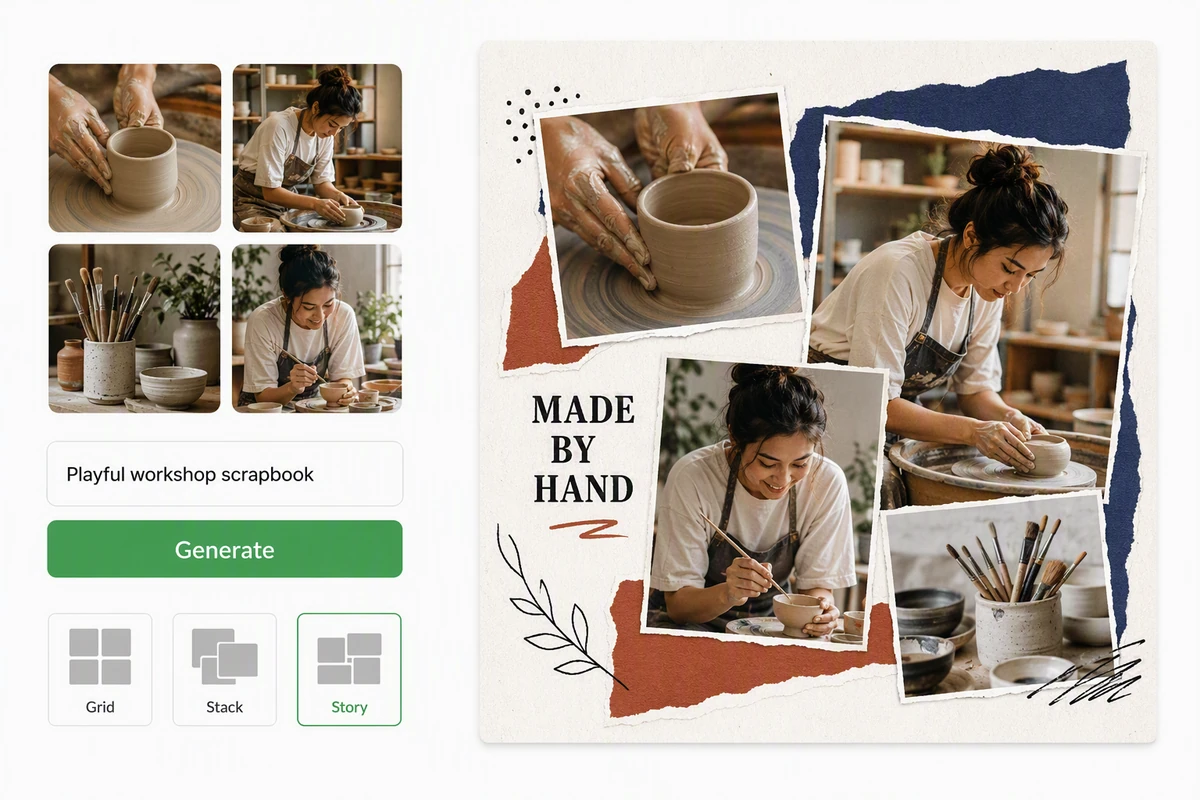
Pottery workshop photos arranged in a playful story-style scrapbook collage

Build a layout around the story

The pottery workshop uses a large making moment, process details, and scrapbook accents. For each photo collage, label the hero, supporting images, and decorations. This hierarchy gives the AI image generation workflow a concrete composition to follow.

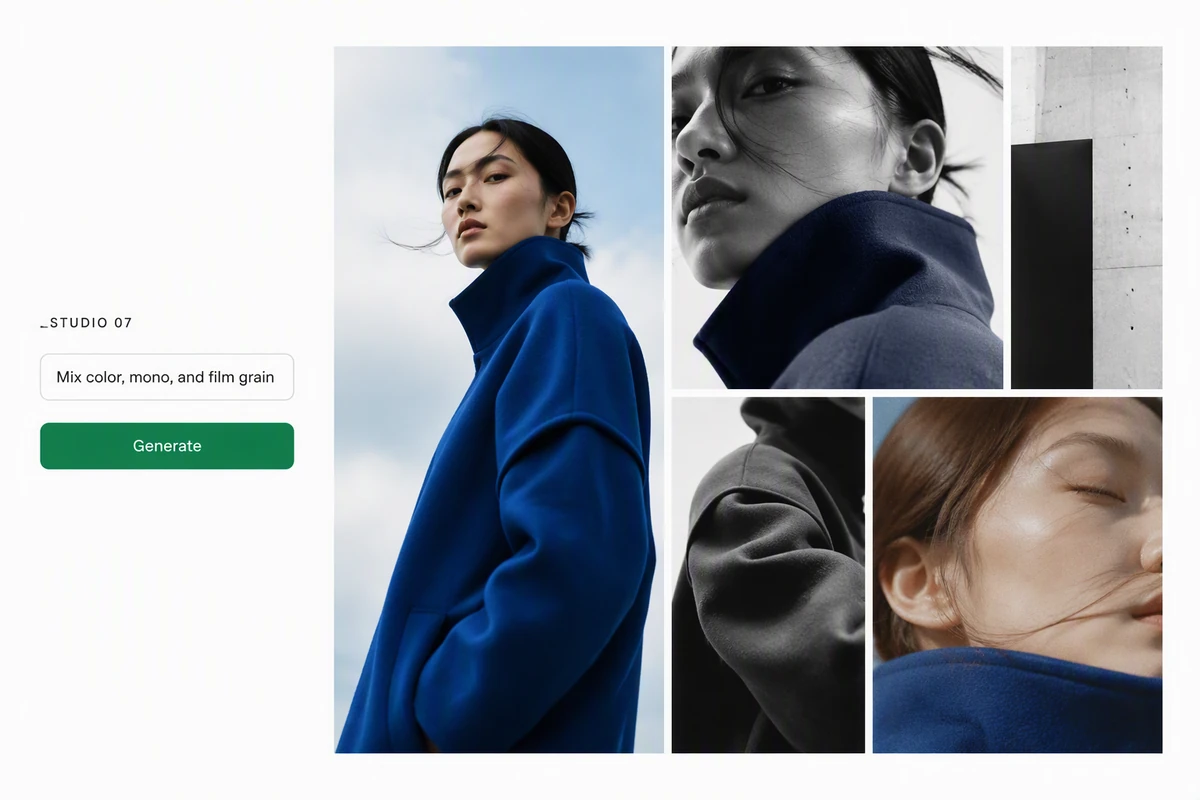
A fashion lookbook collage mixing color, monochrome, grain, and varied crops

Mix finishes without losing cohesion

The fashion lookbook combines color, monochrome, grain, and varied crops through a repeated red-black-cobalt palette. Apply Image Effects selectively, then check that skin tones, product colors, and contrast still form one coherent visual system across the collage.

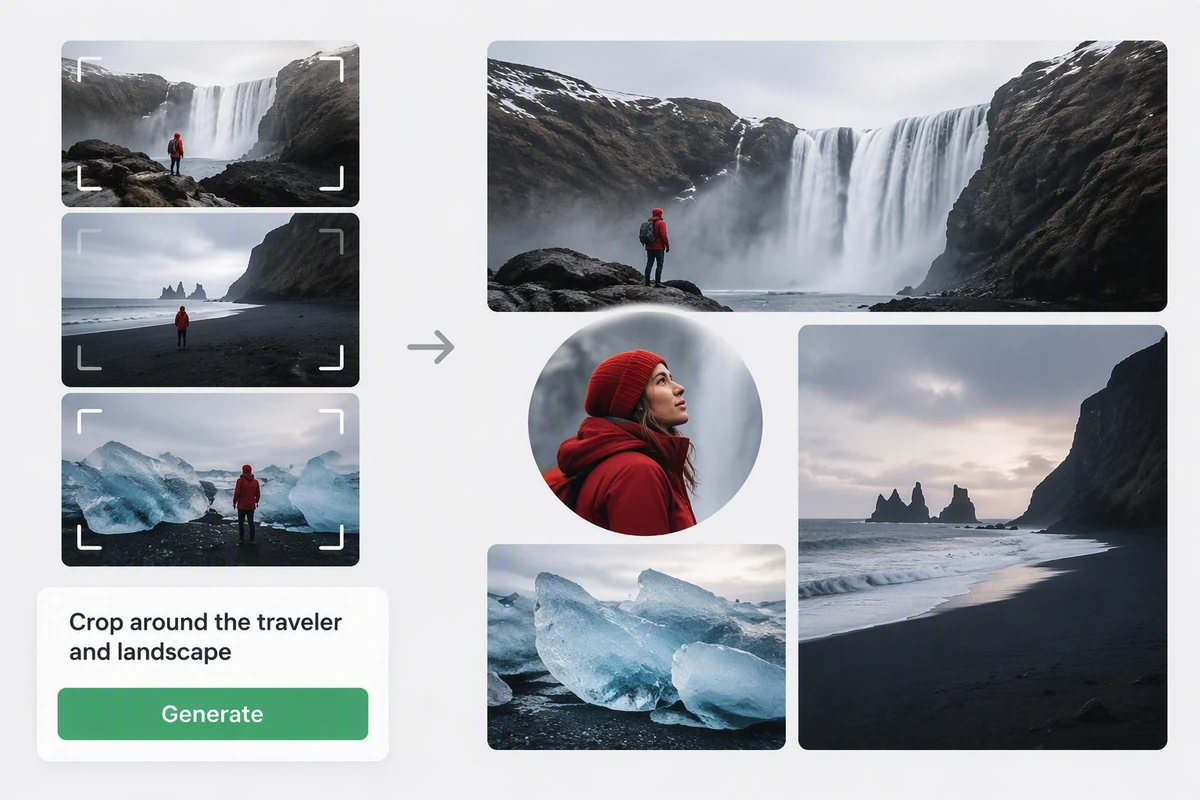
Iceland road-trip photos re-cropped around a traveler and dramatic landscapes

Crop around the narrative anchor

The Iceland layout keeps the traveler readable while landscapes establish place and crops add detail. Mark faces, horizons, and objects that must stay inside safe areas. If the sequence needs a narrative, outline its beats with the AI Story Generator.

How to Plan and Check a Photo Collage Export

Step 01

Sort the photos

Remove duplicates and weak frames. Choose one hero image, group the remaining photos by moment or subject, and note every face, caption, or horizon that needs protection.

Step 02

Choose the layout

Select a gallery direction and send its prompt to Studio. Describe the permitted source photos, state the final aspect ratio, identify the visual anchor, and explain the crop priority.

Step 03

Test the export

Before finishing a large collage, run a small trial with the collage tool available to you. If it offers export, open the file outside the tool and inspect its dimensions, format, edges, corners, and central images for unexpected branding.

Why creators choose Ottermind

Six layout directions

Compare grid, moodboard, scrapbook, layered, minimal, and travel-story compositions before committing to one.

Clear visual hierarchy

Tell the prompt which image leads and which photos provide context, rhythm, or small details.

Sources stay connected

Organize permitted source references and layout decisions around the same project so each revision can be checked against the original brief.

Focused layout revisions

Request one crop, spacing rule, or visual finish at a time instead of rebuilding the complete photo collage without a clear reason.

Export-aware review

A sample-export checklist separates the desired watermark-free collage from assumptions about current product terms.

Continue with motion

Carry the selected frame into Image to Video when the collage should become a paced visual sequence.

FAQ

Is this photo collage maker always free?

This page does not establish or promise permanent free access. Pricing, credits, sign-in requirements, and export conditions can change. Check the current conditions shown by the tool you actually use, then run a small trial through the workflow you plan to follow.

How do I confirm there is no watermark?

If the tool you use offers export, process a small sample before investing in the final layout. Open the file outside the tool, zoom to full size, and inspect every corner, edge, and central image for branding. Also confirm the dimensions and file format match the intended destination.

How many photos should a collage include?

Use the photos needed to tell the story clearly. A grid may work with two to four images; a scrapbook can hold more when each image has a distinct role. Remove near-duplicates before choosing the layout, not after.

How can I prevent awkward photo crops?

Name one hero image and mark protected areas around faces, hands, text, horizons, and important objects. State the final aspect ratio before arranging the photo collage. If export is available, review every crop at the intended output size and request focused corrections instead of changing the whole layout.

Can one collage mix different photo finishes?

Yes, when a repeated palette, contrast range, grain treatment, or border system holds the images together. Use Image Effects to compare treatments, then apply only the selected rules. Avoid changing every image in a different unrelated way.

Can I animate a finished photo collage?

Yes. Approve the still layout, then decide which image leads, how the camera travels, and where transitions belong. Photo to Video AI Free provides an adjacent workflow for adding deliberate movement to permitted photos.

Discover more

How people use Ottermind for images

I had a batch of mug photos shot on my kitchen table. I cleared the clutter, tried two cleaner backgrounds, and kept the one that still looked like my real product. It felt more like tidying up a shoot than starting over.

Lena Ortiz - Online Shop Owner

More from the blog

Plan the Collage, Then Check Available Export Conditions

Choose a layout, organize permitted photo references, protect the important crops, and check the conditions of the tool available to you before producing the final photo collage.

Create a Collage